Benchmark and analyze USB flash drive performance with detailed speed tests and comparative online results
Benchmark and analyze USB flash drive performance with detailed speed tests and comparative online results
Vote (9 votes)
Program license Free
Developer UsbFlashSpeed.com
Works under Windows
Vote
(9 votes)
Developer
UsbFlashSpeed.com
Works under
Windows
Program license
Free
Pros
- Accurate read/write speed measurements
- Wide compatibility with most USB flash drives
- Online database for comparing results
- Lightweight and efficient performance
- Ability to save and review past results
Cons
- Outdated and minimalistic user interface
- Lacks advanced drive health or repair features
- Not a replacement for full-featured security tools
Measures and analyzes USB flash drive speed for optimal performance
Comprehensive USB Speed Testing Utility
USBFlashSpeed is a dedicated application designed to test and benchmark the read and write speeds of USB flash drives on Windows platforms. By offering precise speed measurements, this program helps users evaluate the performance and reliability of their portable storage devices.
Key Features and Functionality
USBFlashSpeed provides a straightforward way to assess the speed capabilities of any connected USB flash drive. The process is user-friendly—once the device is plugged in, a test can be launched to determine a broad range of performance statistics. The utility generates comprehensive reports detailing sequential and random read/write speeds, which can be particularly useful in identifying drives that may not be living up to their advertised performance.
The software supports a broad spectrum of flash drives regardless of manufacturer, making it highly versatile for both casual users and IT professionals alike. After completing a test, results can be saved and reviewed later, supporting side-by-side comparisons between multiple drives or configurations.
Extensive Database Comparison
One standout feature is USBFlashSpeed’s integration with an online results database. After testing, users can upload their drive’s speed data anonymously and immediately compare it to thousands of other submitted entries. This crowdsourced resource highlights where a specific drive stands relative to similar models, aiding decisions when purchasing new hardware or troubleshooting existing storage.
User Interface and Usability
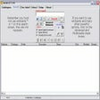
Designed with a functional, no-frills approach, USBFlashSpeed’s interface is markedly simplistic. While the design prioritizes substance over style, some users may find the interface a bit archaic compared to more modern graphical applications. Navigation relies heavily on classic Windows dialog elements, but the clear presentation of results contributes to its practicality.
Performance and Reliability
Speed tests conducted by USBFlashSpeed are thorough, accounting for different file sizes and access patterns. This comprehensive testing helps users identify if a flash drive’s underperformance is due to hardware defects, USB port limitations, or other external factors. Results are generated quickly without consuming excessive system resources, allowing the software to be run even on older machines.
Security Considerations
In addition to speed testing, USBFlashSpeed offers optional scanning for common USB drive vulnerabilities and suspicious file behavior. While it does not replace dedicated antivirus software, this extra layer of checking can provide peace of mind—especially when using drives from uncertain origins.
Final Thoughts
USBFlashSpeed is a focused tool for anyone needing detailed information about USB flash drive speed, including IT administrators, tech enthusiasts, and power users. While its interface may benefit from modernization, its accuracy, cross-model compatibility, and invaluable online comparison database make it a solid choice for USB benchmarking.
Pros
- Accurate read/write speed measurements
- Wide compatibility with most USB flash drives
- Online database for comparing results
- Lightweight and efficient performance
- Ability to save and review past results
Cons
- Outdated and minimalistic user interface
- Lacks advanced drive health or repair features
- Not a replacement for full-featured security tools